Locations
When you add a new room thermostat to your Centro app, you will be asked to choose a Location.
A Location is the name of the property where the thermostat is installed, not the thermostat itself. For example, you could name it:
– Home
– Office
– Holiday Home
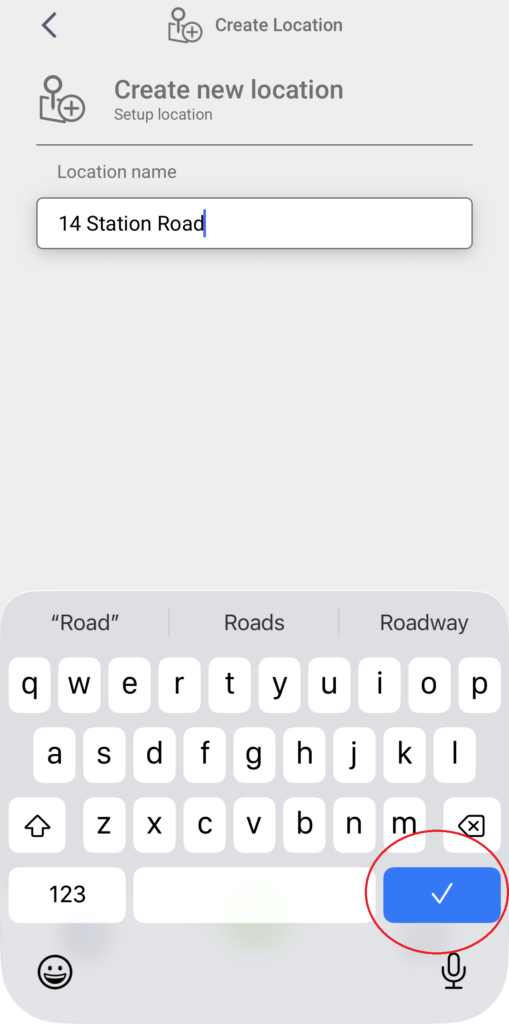
– 41 Station Road
You may find that a default “My Location” has already been created for you and associated with your existing devices.
A Location allows you to use Goefence, invite members to your location, access the weather information.
Adding a Location allows you to use Geofencing, which can automatically adjust your heating when you leave or return home.
Geofencing works with the following ESi thermostats:
– Atlantic ESRTP4RFW (when used with ES WiFi Hub)
– Mistral ESRTP8W
– Cirrus ESRTP8 (when used with ES WiFi Hub)
– Stratus ESRTP6B
– ESRTP4 Touch (when used with ES WiFi Hub)
– ESRTP6CWF
Geofencing is not supported on these devices:
– ESRTP5WF
– ESRTP6WHW
– ES3PRFK RF Kit and the thermostats associated with it
– Cylinder thermostats
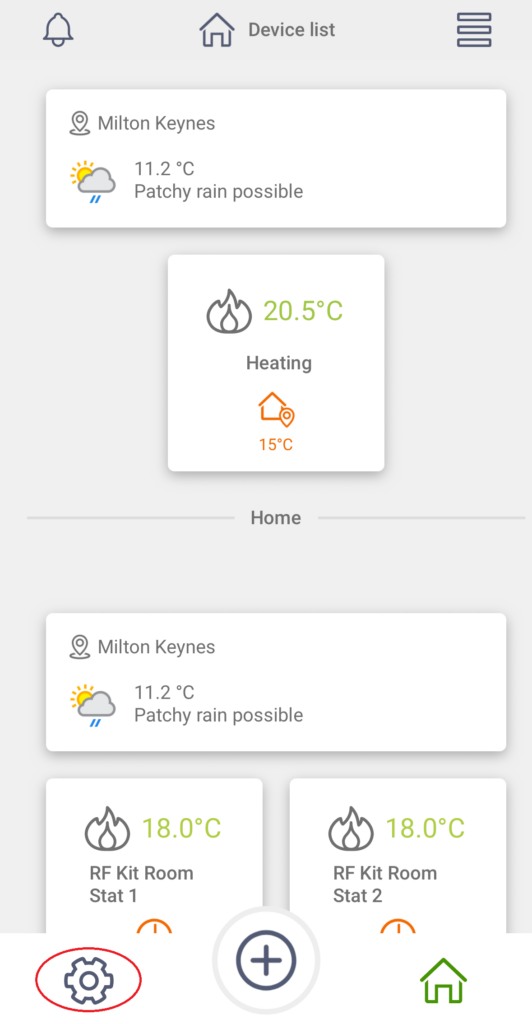
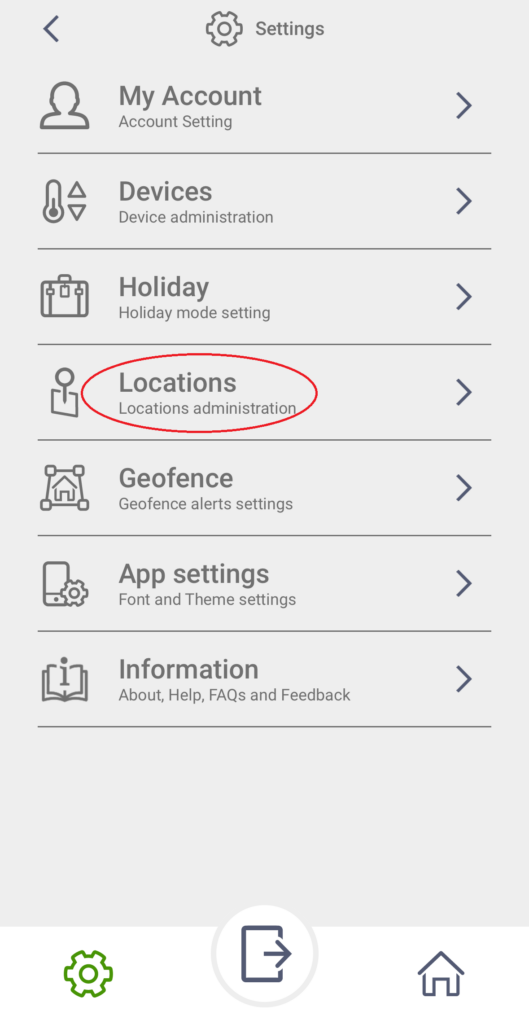
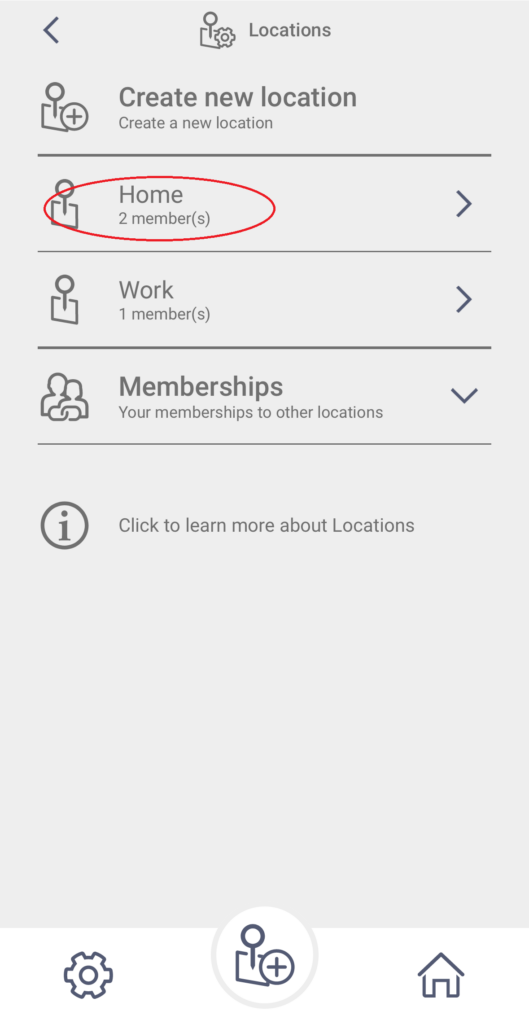
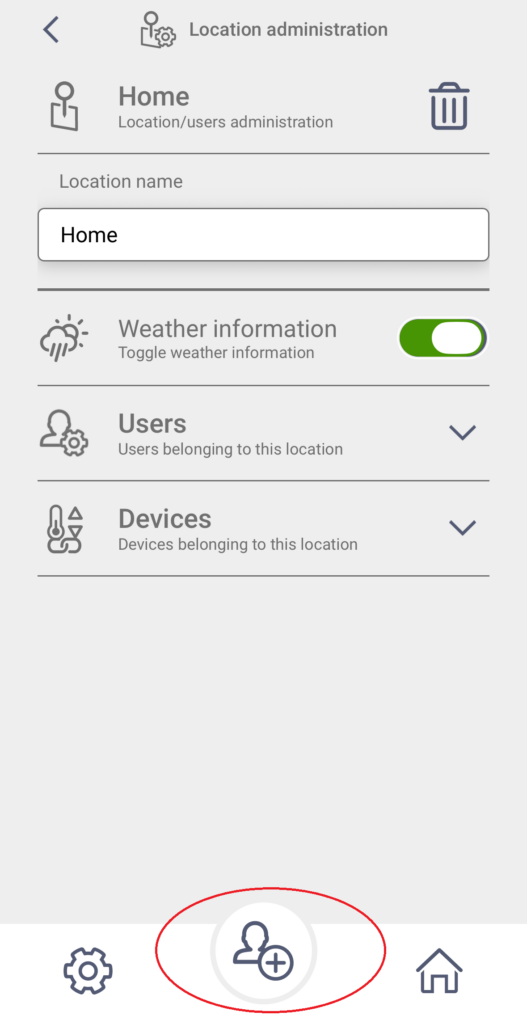
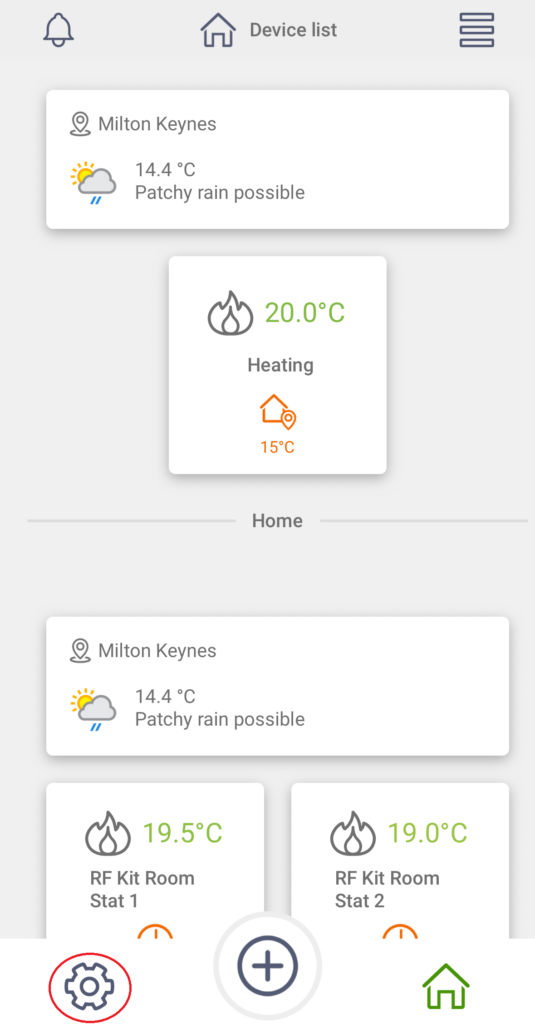
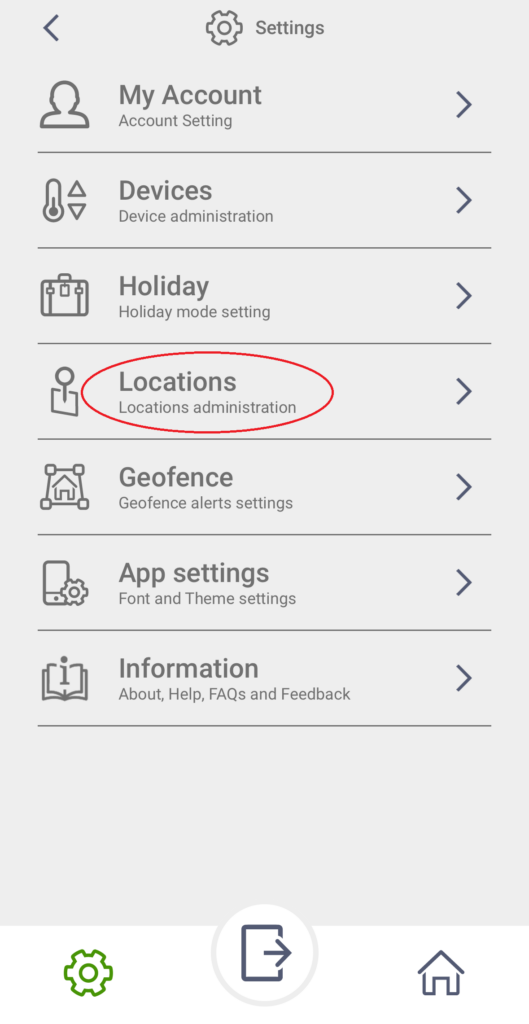
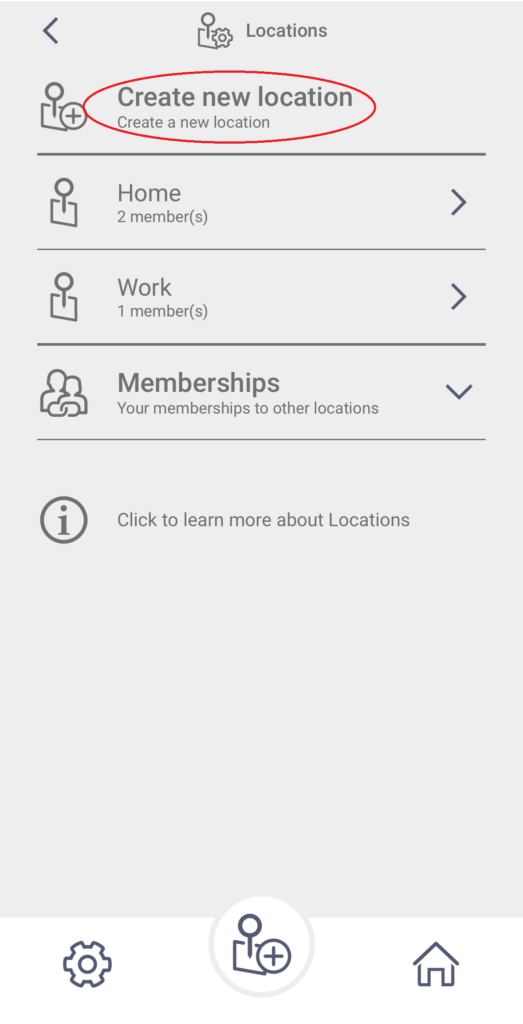
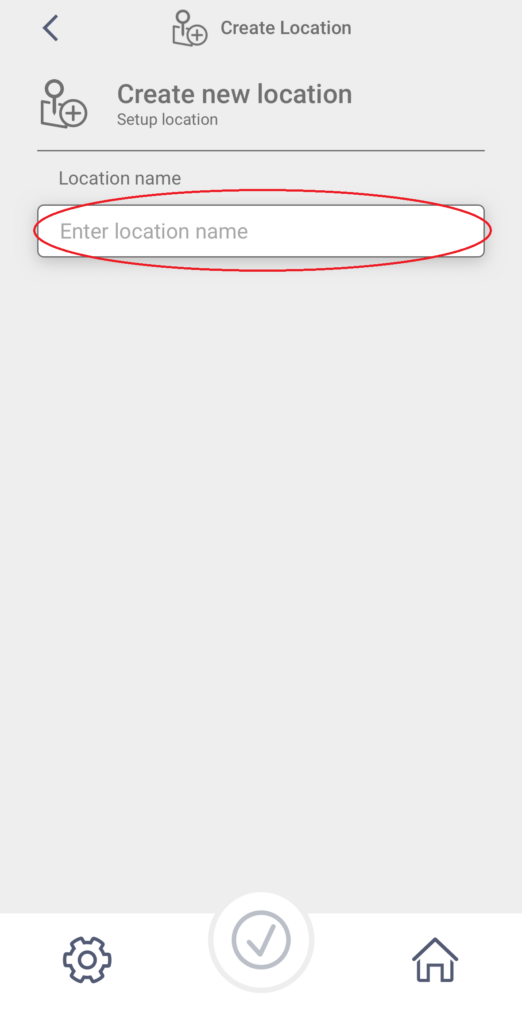
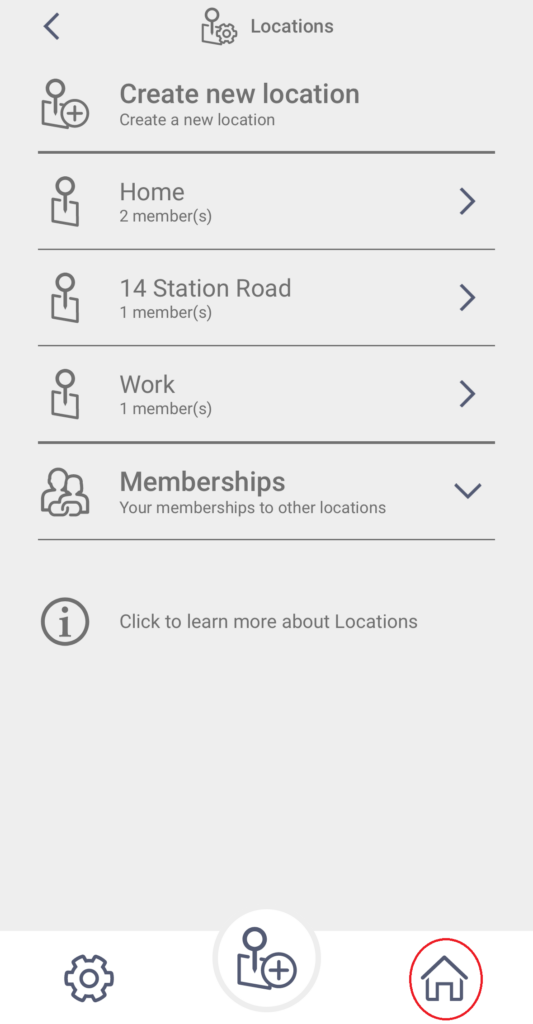
To set a new Location, follow these steps
Members & Users
The person who added the device to their ESi Centro account automatically becomes the Owner of the thermostat.
The Owner has full control of the thermostat and can invite other people, such as family members or colleagues to access it through the ESi Centro app.
There are two types of users:
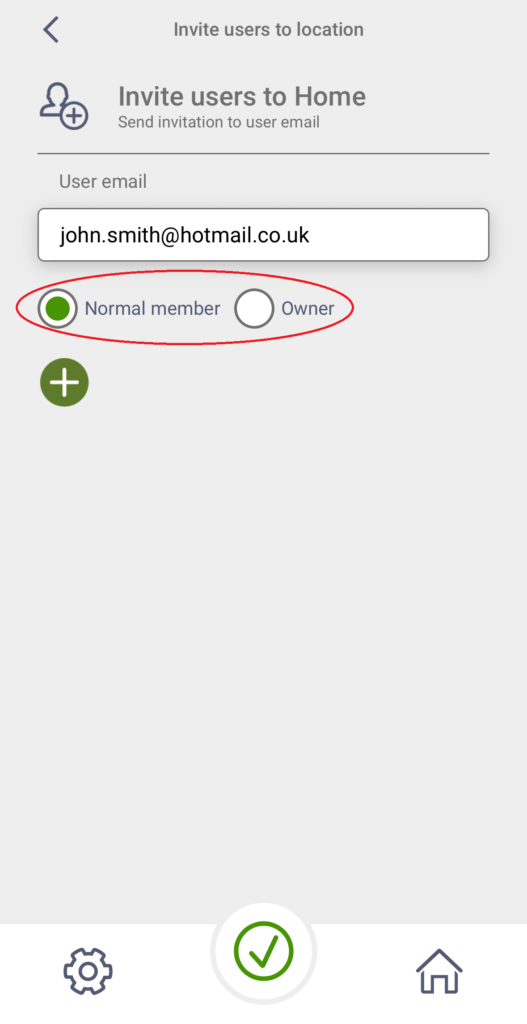
Owner – has full access to all thermostat settings and features through the ESi Centro app.
Normal User – can control the heating within the limits set by the Owner.
If a Normal User is added to a location, the thermostats in this location will be shown as Locked in the Centro app. This doesn’t stop it from working, it simply means that only an Owner can make all thermostat changes.
Normal Users can still adjust some parameters, but only within the minimum and maximum temperature limits set by the Owner.
Before someone can be invited, they must first download and install the latest version of the ESi Centro app.
Members & Users works with the following ESi thermostats:
– Atlantic ESRTP4RFW (when used with ES WiFi Hub)
– Mistral ESRTP8W
– Cirrus ESRTP8 (when used with ES WiFi Hub)
– Stratus ESRTP6B
– ESRTP4 Touch (when used with ES WiFi Hub)
– ESRTP6CWF
Members & Users is not supported on these devices:
– ESRTP5WF
– ESRTP6WHW
– ES3PRFK RF Kit and the thermostats associated with it
– Cylinder thermostats
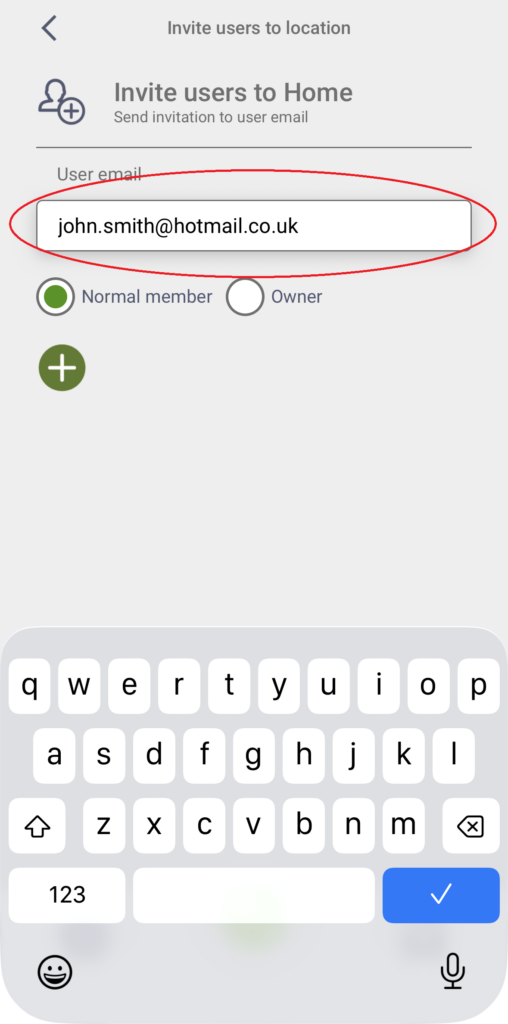
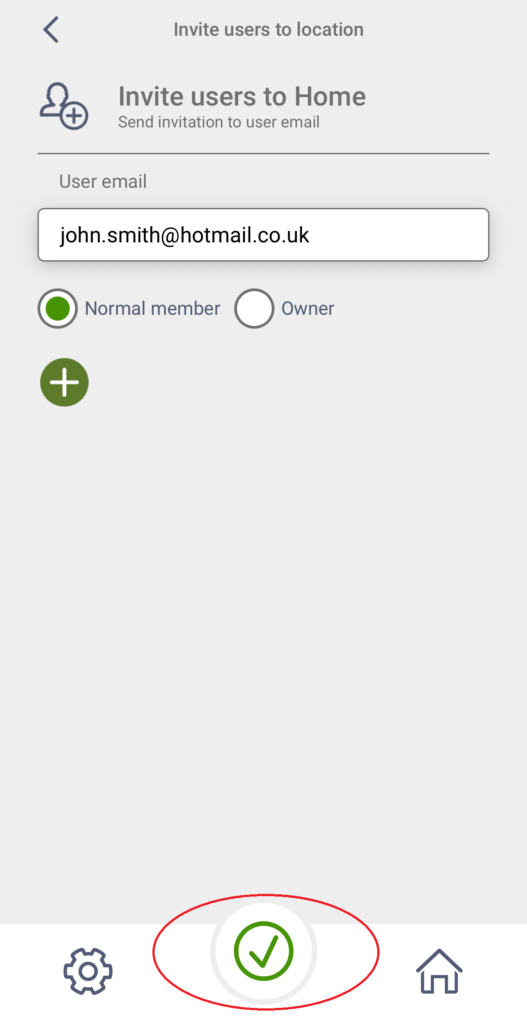
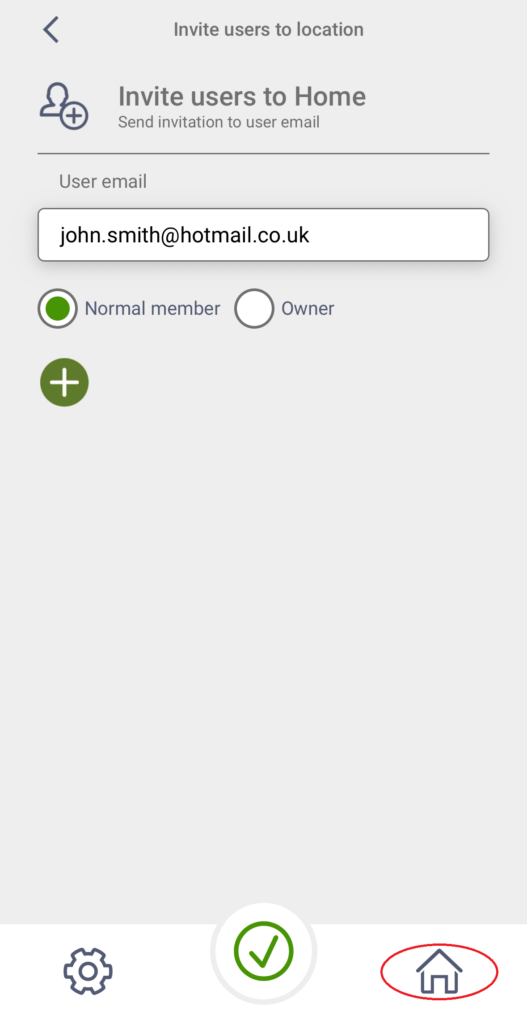
To invite a Normal User or Owner, follow the steps below