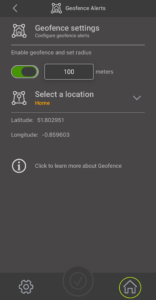
What is Geofencing?
Geofencing helps you save energy by automatically adjusting your heating based on your location.
When you leave home, Geofencing can lower your heating to an AWAY temperature. As you head back home, it switches your heating back to your normal settings, so your home is comfortable when you arrive.
The ESi Centro app uses your home Wi-Fi and your phone’s location (GPS) to work out how far you are from home.
How it works
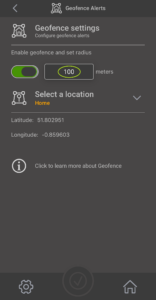
– When you leave home and travel beyond the distance you have set, your heating switches to AWAY mode.
– You can choose the temperature used in AWAY mode.
– When you return and come back within the set distance, your heating automatically switches back to AUTO or MANUAL mode.
Setting up Geofencing
To use Geofencing, you will need to:
1. Create a location in the ESi Centro app, such as Home, Office, or any name you want.
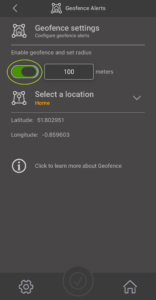
2. Turn on Geofencing in the Centro app.
3. Allow the ESi Centro app to access your phone’s location.
4. If more than one person lives in the property, each person using Geofencing should enable it on their own ESi Centro app and allow location services.
Compatible Thermostats
Geofencing works with the following ESi thermostats:
– Atlantic ESRTP4RFW (with ESi WiFi Hub)
– Mistral ESRTP8W
– Cirrus ESRTP8 (with ES WiFi Hub)
– Stratus ESRTP6B
– ESRTP4 Touch
– ESRTP6CWF
Not Compatible with Geofencing
– ESRTP5WF
– ESRTP6WHW
– ES3PRFK RF Kit and thermostats associated with it
– Cylinder thermostats
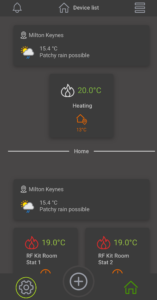
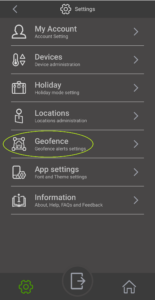
To enable Geofencing, follow the steps below.